

Not an HTTP-only SKU
HTTP/HTTPS is how you connect. Buy Mobile, Residential, or Corporate IPs, then select HTTP.

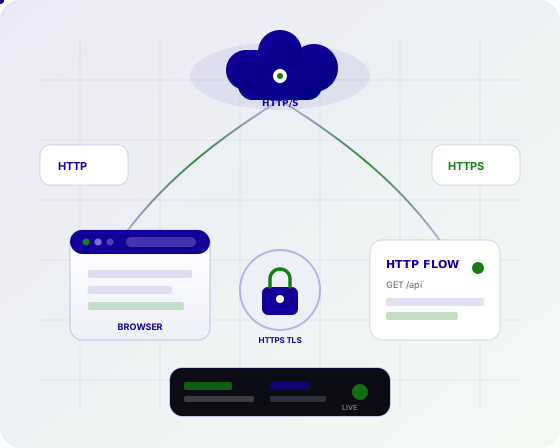
HTTP/HTTPS here means the client protocol (including CONNECT for TLS sites), not a product line. Pick your IP type first, then select HTTP in the dashboard for requests, SEO platforms, and most scrapers. SOCKS5 stays available on the same endpoints for TCP-heavy tools.
Default for web tools
LiveEncrypted site tunnels
LiveSame IPs, other protocol
LiveCountries
LiveUnlimited plans
LiveMost business tools speak HTTP proxies. We expose HTTP on every Unlimited plan — not as a fourth product.
HTTP/HTTPS is how you connect. Buy Mobile, Residential, or Corporate IPs, then select HTTP.
Set proxies={'http': '...', 'https': '...'} with username/password or IP allowlisting.
Most rank trackers and SERP APIs expect an HTTP proxy, not SOCKS5.
Encrypted destinations tunnel through CONNECT so you can fetch https:// URLs via the proxy.
Pick a country on the IP type. HTTP does not change which locations you can buy.
Keep one IP for logged-in flows or rotate for large SEO and collection jobs.
If a browser profile needs socks5://, switch protocol on the same plan.
No HTTP surcharge. Residential and Corporate from $2/IP/day; Mobile from $4.50.
Read the Python HTTP guide or message Telegram @proxygroveapp with your stack.
Point host, port, and credentials at your SEO suite, scraper, or script. Use SOCKS5 only when the client requires it.
Related reading: Python HTTP/HTTPS guide, SOCKS5 vs HTTP, and SEO monitoring.
requests, httpx, axios, and similar libraries take HTTP proxy URLs natively.
Geo-accurate SERP checks through HTTP proxies on residential or mobile IPs.
Fetch public HTML over HTTP with sticky or rotating sessions.
Monitor catalogs and prices through country-targeted HTTP endpoints.
Load landing pages over HTTP/HTTPS CONNECT from the location you need.
HTTP is the simplest protocol for pipeline workers that call web APIs and pages.
Point test browsers or scripts at an HTTP proxy to see regional content.
Collect public market pages with the IP class that matches your risk profile.
Geo targeting, sticky or rotating sessions, and unlimited per-IP plans — HTTP is how those IPs accept web traffic.
Forward web requests through another IP using the HTTP proxy protocol.
Tunnel TLS traffic so https:// destinations work through the proxy.
Switch protocol when the client cannot use HTTP.
Hold the IP for multi-step HTTP workflows.
Spread HTTP jobs across the pool.
Select location on the IP type you purchase.
Standard proxy authentication for tools and scripts.
Skip passwords when your egress IP is allowlisted.
1, 7, 30, or 90 day durations on published products.
Buy an IP type, set protocol to HTTP, paste the endpoint into your tool, and verify the egress IP.
Mobile, Residential, or Corporate — HTTP is not its own pool.
Leave SOCKS5 for clients that require it. HTTP is the default for web tools.
Paste into your SEO tool, scraper, or environment variables.
Confirm the egress IP and country, then run the production job.
Location follows the Mobile, Residential, or Corporate plan. HTTP does not add a separate coverage map.
These are the IP types you buy. Protocol and session mode are selected when you configure the proxy.
Real residential IPs with high trust for research and verification.
Real 4G / 5G carrier IPs for the highest-trust workloads.
Business-grade IPs with stable long-lived connections.
Dedicated capacity, custom pools, and account support.
CONNECT tunneling, Python requests, SOCKS5 comparison, and checkout.
An HTTP proxy forwards web requests through another IP. HTTPS (CONNECT) tunnels encrypted traffic. Proxy Grove supports both on published plans.
Yes. Point requests or your SEO tool at the HTTP endpoint with username/password or IP allowlisting. See the Python HTTP/HTTPS guide on the blog.
HTTP is the default for web tools. SOCKS5 is better when the client expects SOCKS. You can use either protocol on the same Mobile, Residential, or Corporate plan.
No. HTTP/HTTPS is how you connect. Buy Mobile, Residential, or Corporate IPs, then select HTTP in the dashboard.
CONNECT asks the proxy to tunnel TLS to the destination. Your client still speaks HTTPS to the site; the proxy only carries the tunnel.
Yes. Sticky and rotating sessions are available on the same plans as HTTP protocol.
There is no HTTP-only price. Unlimited Residential and Corporate start from $2/IP/day; Mobile from $4.50/IP/day.
Use the HTTP proxy endpoint you are given and HTTPS CONNECT for https:// URLs. You do not buy a second product for TLS sites.
Residential for consumer-like web traffic, mobile for carrier trust, corporate for stable business-grade IPs. Protocol is HTTP in all three cases.
Register on app.proxygrove.com, buy an IP type, set HTTP, and paste credentials into your tool. Telegram @proxygroveapp for help.
Create an account, pick an IP type, and use HTTP (or SOCKS5) with sticky or rotating sessions.