

Not a rotating-only SKU
Proxy Grove does not sell a separate rotating product. Session mode lives on Mobile, Residential, and Corporate.

This page is about session behavior, not a rotating SKU. After you pick Mobile, Residential, or Corporate IPs, choose sticky for logins and multi-step flows, or rotate for high-volume crawl and SEO checks. Protocol (HTTP or SOCKS5) is chosen separately.
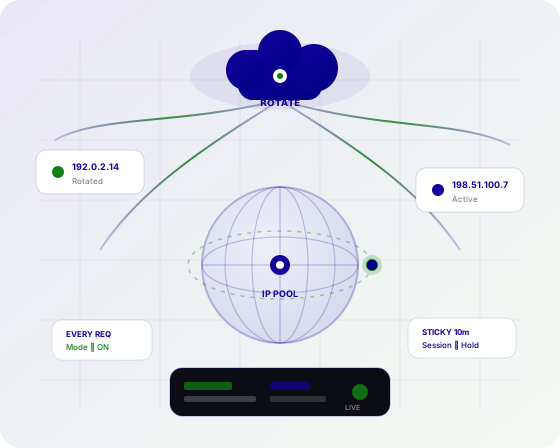
Same IP for a set window
LiveNew IPs across the pool
LiveBoth protocols
LiveCountries
LiveUnlimited plans
LiveSticky and rotating modes ship on every published Unlimited plan — you do not pay for a separate rotating product.
Proxy Grove does not sell a separate rotating product. Session mode lives on Mobile, Residential, and Corporate.
Keep the same IP for logins, carts, and QA so the target does not see a new address mid-flow.
Spread requests across the pool for SEO checks, catalog collection, and public-data jobs.
Change sticky vs rotating in the dashboard on the IPs you already purchased.
Session mode is independent of protocol. Pick the client format separately.
Country and city targeting stay on the IP type. Rotation does not bypass targeting.
Published plans are per IP, not per GB. Fair use still applies on both session modes.
Unsure sticky vs rotate? Telegram @proxygroveapp can map the setting to your workflow.
We do not list a datacenter SKU. Rotation here is session control on residential, mobile, or corporate IPs.
Rotate to spread requests. Stay sticky when the site must see the same IP through a multi-step flow.
Related reading: sticky sessions for SEO, automation, and IP types.
Rotate IPs for many SERP checks; use sticky when a tool must keep one location.
Rotation reduces repeated hits from one address on large crawls.
Sticky sessions keep the IP stable through cookies and multi-step forms.
Rotate across regions while each job can still pin a country.
Sample placements from many IPs, or hold one IP to replay a user path.
Rotate for breadth; sticky for sources that throttle fast IP changes.
Prefer sticky IPs when a platform ties sessions to a stable egress address.
Sticky country IPs for functional tests; rotate when you only need coverage samples.
Same unlimited per-IP pricing. Choose how long an IP should last, then connect with HTTP or SOCKS5.
Hold one IP for a configured duration on eligible plans.
Request a new IP on an interval or as your client reconnects.
Session mode works with HTTP endpoints used by SEO and Python tools.
The same sticky or rotating behavior is available on SOCKS5.
Rotation happens inside the location you selected.
Where city endpoints exist, sessions still honor that city.
Username/password or allowlisting — session mode is separate.
Unlimited per-IP durations on Mobile, Residential, and Corporate.
Set session behavior when you configure the proxy after purchase.
Select the IP type first. Session mode is configured next to protocol and location.
Rotation is not its own pool. Buy the IP class your workload needs.
Pick sticky for logins and QA. Pick rotating for broad collection and SERP sampling.
Match the protocol your tool expects. Both support either session mode.
Confirm the IP holds or changes as configured, then scale the job.
Geo targeting follows the plan you buy. Rotation does not create a separate country list.
These are the IP types you buy. Protocol and session mode are selected when you configure the proxy.
Real residential IPs with high trust for research and verification.
Real 4G / 5G carrier IPs for the highest-trust workloads.
Business-grade IPs with stable long-lived connections.
Dedicated capacity, custom pools, and account support.
What rotation is, when to use sticky IPs, and how it differs from datacenter products.
A rotating session assigns a new IP on a schedule or per request so large jobs spread across the pool. Sticky sessions keep the same IP for a set window.
Mobile, Residential, and Corporate Unlimited plans support sticky or rotating sessions. Pick the IP type first, then the session mode.
Use sticky IPs for logins, carts, and multi-step QA. Use rotation for broad public-data collection and SEO checks at scale.
No. Rotation is how IPs change. Datacenter is an IP class Proxy Grove does not sell as a separate SKU — use Residential, Mobile, or Corporate instead.
Yes. Session mode and protocol are independent settings on the same plan.
Yes. New IPs are drawn from the location you configured, not from a random global mix unless you selected that.
There is no rotating-only price. Unlimited Residential and Corporate start from $2/IP/day; Mobile from $4.50/IP/day.
Yes. Reconfigure session mode in the dashboard for proxies on your account. Exact controls depend on the plan.
Published Unlimited plans are per IP, not per GB. Fair use still applies. Rotation frequency should match a legitimate workload.
Register, buy an IP type, set sticky or rotating, choose HTTP or SOCKS5, and connect. Telegram @proxygroveapp for setup help.
Create an account, pick Mobile, Residential, or Corporate, then set session mode in the dashboard.