


Proxies for Data Collection from Public Web Sources
Analytics and research pipelines need repeatable access to public pages, with geography and session behavior you can log. Keep collection lawful, limited to public sources, and kind to the sites you touch.
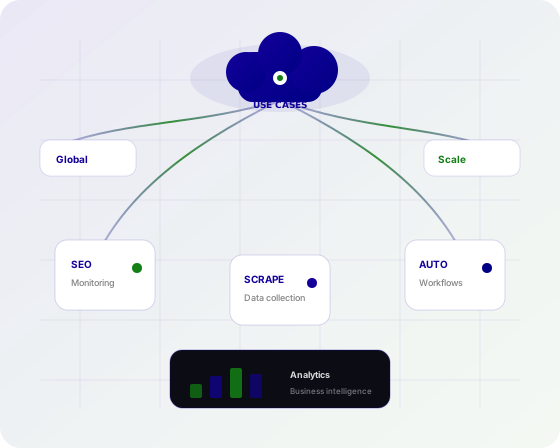
What governed public-web data collection requires
Data collection is a governance problem as much as a fetch problem. You need a source list, a legal basis, a retention policy, and an egress path that does not secretly change mid-job. Proxies are that egress path when the source is the public web. Unlike a one-off scrape, collection pipelines run for months. They need named IPs, environment splits, and geo tags that survive staff turnover. Sticky sessions cover multi-page public walks; rotating sessions cover independent URL batches.
- Auditable geo and product tags on every fetch
- Sticky or rotating mode as a pipeline parameter
- HTTP and SOCKS5 for mixed collector stacks
- Per-IP plans that match long-running jobs
Proxy types that fit this use case
How Proxy Grove supports this workflow
Proxy Grove provides three products only: Mobile, Residential, and Corporate. HTTP and SOCKS5 are both available. Unlimited per-IP plans start from $2/IP/day for Residential and Corporate, and $4.50/IP/day for Mobile.
Coverage includes 246 countries, with availability that can vary by product. City targeting is available where supported. Use those facts in the data dictionary so analysts do not treat a missing city as a missing market.
If a source offers an official API or bulk dump, prefer it. Proxies do not make a forbidden collection allowed. Skip personal data you have no right to store, and honor robots and terms.
Residential Proxy is the default collector for consumer public HTML. Unlimited usage from $2/IP/day fits always-on pipelines better than a gigabyte surprise.
Corporate Proxy fits public government or business sites that already serve office networks, and internal-looking documentation you are allowed to fetch.
Mobile Proxy is for collection questions that are truly about a 4G/5G representation of a public page. At $4.50/IP/day it should be a separate dataset, not mixed unlabeled into Residential tables.
Documentation should live next to the collector's config schema. The choose-the-right-proxy-type guide helps new pipeline owners pick a product without copying a vendor SKU we do not sell.
Web scraping and AI use-case pages cover adjacent patterns. This page is about governed, long-lived public collection rather than a single spider.
Common workflows
Source onboarding
Record legal notes, robots policy, fields, and refresh cadence before the first production fetch.
Environment-split collectors
Dev, staging, and prod get different IPs so a test crawl cannot burn a production identity.
Geo-partitioned tables
Write country (and city only if targeting was on and supported) as columns, not as a filename afterthought.
Change-data capture on public pages
Hash public HTML or JSON and refetch when the hash changes, instead of polling at maximum rate.
Quality canaries
Keep a tiny URL set with known content to detect block pages before they pollute the warehouse.
Retention and deletion
Expire raw HTML on a schedule. Proxies do not reduce your obligation to delete data you should not keep.
Which proxy type to choose — and why
Collection pipelines should label every partition with product type. Residential is the default public-web path, Corporate for steadier B2B sources, Mobile only when carrier identity is a field you intend to study. Prefer sticky sessions when a source ties pagination to a cookie you are allowed to keep.
Mobile Proxy
Collect a mobile-network view only when that is a stated field in the dataset. From $4.50/IP/day. Do not silently upgrade a Residential pipeline to Mobile.
Residential Proxy
Usual choice for public consumer sources. Sticky for multi-page public walks, rotating for independent URLs. From $2/IP/day, unlimited per IP.
Corporate Proxy
Better for public business and institutional sites that expect office egress. Validate before using it on consumer properties.
Why location changes what you see
Partition collection by country from day one. Retrofitting geo onto a mixed IP history is how you get unusable panels.
City targeting is available where supported. If it was not enabled, do not emit a city dimension.
Check Locations when you add a source country. Product availability can differ; a Residential partition may not have a Mobile twin.
A practical workflow
- Write a source policy: allowed URLs, fields, law, and retention.
- Prefer official APIs; use public HTML only when that policy allows.
- Choose Mobile, Residential, or Corporate and record it in the schema.
- Create env-specific HTTP or SOCKS5 endpoints in a secrets manager.
- Set sticky or rotating as a job parameter, not a hidden default.
- Ship canaries and block-page detectors before full volume.
- Tag every record with country, product, and session mode.
- Review Locations and terms on a calendar, not only at launch.
Practices that keep the work trustworthy
- Minimize fields; collection is not a reason to keep everything.
- Separate PII-capable sources from bulk public HTML.
- Backoff as a first response to 429, not more IPs.
- Version parsers independently from egress config.
- Document who owns each source in the data catalog.
- Keep collector IPs out of marketing screenshot tools.
- Use cache and ETags when the source supports them.
- Train analysts that 246 countries is a network list, not a guarantee for every product and city.
Common mistakes
- Collecting personal data because it happened to be in the HTML.
- Ignoring robots.txt on a 'research' pipeline.
- Mixing session modes inside one partition.
- Using one IP for prod collection and a founder's laptop.
- Emitting city-level data when targeting was not supported.
- Treating a terms-of-service ban as a proxy problem.
- Copying a datacenter SKU into the pipeline diagram.
Why teams use Proxy Grove for this work
Long-running collection needs egress that shows up in the schema: product type, country, sticky or rotating. Proxy Grove exposes those as real settings on Mobile, Residential, and Corporate, not as folklore.
Unlimited per-IP plans from $2/IP/day (Residential and Corporate) or $4.50/IP/day (Mobile) match pipelines that run every day for a year.
Documentation, the proxy-type guide, and Locations keep legal, geo (246 listed, availability by product, city where supported), and protocol choices in the same runbook as the warehouse.
Point pipelines at Mobile, Residential, or Corporate Proxy. Record country, product, and session mode next to every fetch.
Collect public web data with egress you can audit
Point pipelines at Mobile, Residential, or Corporate Proxy. Record country, product, and session mode next to every fetch.
Data collection proxy questions
Scraping is the fetch technique. Collection is the governed pipeline: policy, schema, retention, and geo tags. This page is about the latter, still limited to public lawful sources.
Usually no. Use the API. Proxies help when the lawful source is a public page that varies by location or when you need a stable outbound identity.
Country, product (Mobile, Residential, or Corporate), session mode, timestamp, and HTTP status. That is how you debug a poisoned partition.
You can place collectors in listed countries subject to product availability and the source's terms. Confirm Locations before you create a partition.
Sticky for multi-page public walks that need continuity. Rotating for independent URL batches. Make it a config flag.
No. It is a different network path. Use it when the dataset's question is the 4G/5G view, and pay $4.50/IP/day for that difference.
Count IPs per environment and source class. Residential and Corporate from $2/IP/day, Mobile from $4.50/IP/day, unlimited usage on each IP.
Stop the job, keep the policy note, and delete what you must. Switching IPs is not a legal strategy.